
Quick Answer: Shopify product recommendations use built-in algorithms, product data, customer behavior, and sometimes AI-powered apps to suggest related or complementary products to shoppers. When used strategically, they help Shopify stores increase average order value, improve product discovery, and turn single-item purchases into larger carts.
Picture this: a customer lands on your Shopify store, finds a vintage band tee, adds it to the cart, and leaves.
They liked the product. They were interested. They were close.
But they never saw the leather jacket that would have matched it perfectly. They never saw the accessories. They never saw the bundle that could have turned a single-item purchase into a higher-value order.
That is money left on the table.
This is exactly where Shopify product recommendations matter.
They are the digital version of a smart sales assistant who knows what goes well with what. Except they work 24/7, do not need breaks, and can show suggestions to every customer at the right moment.
For a Shopify store, product recommendations are not just a design feature. They are part of a bigger ecommerce growth system that can connect with store automation, Shopify apps, and AI services.
What Are Shopify Product Recommendations?
Shopify product recommendations are product suggestions displayed to customers while they browse your store.
These suggestions can be automated, manually curated, or powered by AI apps.
They usually appear in sections such as:
- You may also like.
- Related products.
- Frequently bought together.
- Complete the look.
- Customers also bought.
- Recommended for you.
The purpose is simple: show the customer products they are more likely to want next.
That could mean recommending a matching belt for a dress, a charger for a device, a moisturizer after a serum, or a subscription bundle after a one-time product.
The strongest recommendations do not feel random. They feel useful.
They help the customer discover something relevant before leaving the store.
How Shopify Product Recommendations Work
Shopify product recommendations can work in different ways depending on your theme, your store data, and whether you use native Shopify features or third-party apps.
At the basic level, the system looks for relationships between products.
These relationships may come from:
- Products purchased together.
- Products viewed together.
- Similar product titles or tags.
- Product descriptions and categories.
- Manual pairings selected by the merchant.
- Customer behavior and browsing history.
- AI models that predict what a shopper may buy next.
For example, if many customers buy sneakers and socks together, Shopify can learn that pattern and show socks when someone views the sneakers.
If you sell skincare, you may manually connect a cleanser with a toner and moisturizer.
If you use an AI-powered recommendation app, the system may go further by analyzing customer behavior, order history, cart value, and real-time browsing patterns.
Native Shopify Recommendations vs Third-Party Apps
The main decision is not “which one is better?”
The better question is: which one fits your store right now?
Shopify’s native recommendations can be enough for some stores. Third-party apps become useful when you need more control, stronger personalization, or advanced AI-driven product suggestions.
Shopify Native Product Recommendations
Shopify includes native recommendation features that can display related products based on product and order data.
The advantage is that they are simple, integrated, and do not require extra monthly cost beyond your Shopify setup.
Native recommendations work best when:
- Your store already has enough order history.
- Your catalog is not too complex.
- Your products have clear relationships.
- You do not need advanced personalization yet.
- You want a simple setup without many external tools.
For example, a small tea store may only need basic recommendations: tea blends, filters, mugs, and brewing tools.
A boutique clothing store with a manageable number of products may also use manual complementary products effectively.
The Limits of Native Recommendations
Native recommendations are useful, but they are not perfect.
They may struggle when:
- The store is new and does not have enough sales data.
- The catalog has thousands of SKUs.
- You need precise control over what appears.
- You want to exclude specific products from recommendations.
- You need A/B testing or deeper analytics.
- You want recommendations to connect with email, SMS, or chatbot flows.
This matters because product recommendations depend heavily on relevance.
If the suggestions are random, customers ignore them.
If they are relevant, they can increase cart size and improve the shopping experience.
Third-Party Product Recommendation Apps
Third-party Shopify apps give merchants more advanced control.
They may support:
- AI product recommendations.
- Frequently bought together widgets.
- Upsell and cross-sell offers.
- Personalized recommendations based on browsing behavior.
- Manual rules by product, collection, or customer segment.
- A/B testing.
- Integration with email and marketing automation platforms.
These apps are especially useful for stores with larger catalogs, faster growth, or more complex merchandising needs.
For example, a fashion store with hundreds or thousands of product variants may need smarter recommendation logic than manual pairing can provide.
A beauty store may need recommendations based on skin type, product routine, and purchase history.
An electronics store may need compatibility-aware recommendations, where the wrong suggestion could create customer frustration.
Why Product Recommendations Increase Average Order Value
Average order value increases when customers add more relevant products to the same order.
That sounds obvious, but the psychology behind it is important.
When someone is already interested in a product, their attention is active. They are already thinking about the purchase. A relevant recommendation at that moment can feel natural.
A customer buying a yoga mat may also need a strap or foam roller.
A customer buying a winter coat may also need gloves and a scarf.
A customer buying a camera may also need a memory card and cleaning kit.
Without recommendations, the customer may never discover these items.
With Shopify product recommendations, your store can show them at the exact moment they make sense.
Cross-Selling
Cross-selling means recommending complementary products.
Examples:
- Phone case with a phone.
- Socks with shoes.
- Moisturizer with cleanser.
- Helmet with a bike.
- Care instructions or accessories with clothing.
Cross-selling works best when the recommendation genuinely improves the original purchase.
Upselling
Upselling means recommending a higher-value version of the product.
Examples:
- A premium plan instead of a basic plan.
- A larger bundle instead of a single item.
- A higher-quality version of the same product.
- A product with better features or longer warranty.
Upselling should be handled carefully. If the upgrade is too expensive or irrelevant, it can distract from the main purchase.
Bundling
Bundling groups related products together.
Examples:
- Complete skincare routine.
- Outfit bundle.
- Starter kit.
- Home office setup.
- Gift box.
Bundles can increase average order value because they simplify decision-making.
Instead of asking the customer to build the full set alone, you show the complete solution.
Where to Display Shopify Product Recommendations
Placement matters.
A recommendation that appears at the wrong moment may be ignored. A recommendation at the right moment can increase order value without feeling pushy.
Product Pages
Product pages are the most common place for recommendations.
This is where customers are already evaluating an item, so related products can help them build a fuller purchase.
Good product page recommendations include:
- Related products.
- Complete the look.
- Customers also bought.
- Pairs well with.
- Recommended accessories.
For clothing stores, this can work especially well with complete outfit suggestions.
For electronics stores, it can work with accessories and compatibility-based suggestions.
Cart Pages
The cart page is a strong place for last-minute additions.
At this point, the customer is close to checkout. Recommendations should be simple, relevant, and low-friction.
Examples:
- Add batteries.
- Add gift wrapping.
- Add a protection plan.
- Add a matching accessory.
- Add one more item to unlock free shipping.
Cart recommendations should not interrupt checkout.
They should make the order better without making the customer rethink everything.
Collection Pages
Collection pages can show recommendations to help browsers move faster.
For example:
- Trending products in this collection.
- Best sellers.
- Recommended bundles.
- Popular combinations.
This helps customers who are browsing but not yet sure what to choose.
Homepage Sections
Homepage recommendations can help new visitors discover popular or seasonal products.
Examples:
- Best sellers.
- Popular right now.
- New arrivals.
- Recommended bundles.
- Seasonal picks.
This works best when the homepage is used as a guided entry point, not just a generic showcase.
Thank You Pages
The thank you page is often ignored, but it can be useful.
After a customer buys, you can recommend:
- Accessories for the product they purchased.
- Care guides or add-ons.
- Next-step products.
- Subscription options.
- Referral or loyalty offers.
Because the customer just completed a purchase, the message should be soft. The goal is future value, not aggressive selling.
Using AI for Shopify Product Recommendations
AI can improve product recommendations by making them more personalized and dynamic.
Traditional recommendations often rely on fixed rules or historical purchase patterns.
AI-powered recommendations can consider more signals.
These may include:
- Current browsing behavior.
- Past purchases.
- Products viewed but not bought.
- Cart value.
- Customer segment.
- Seasonality.
- Product similarity.
- Real-time intent.
This allows the store to recommend products that fit the customer’s current context, not just generic related items.
For example, two customers may view the same jacket.
One customer previously bought boots and outdoor clothing. Another previously bought formal shirts and accessories.
A basic recommendation system may show both customers the same related products.
An AI system can show each customer different suggestions based on what they are more likely to buy.
AI Product Recommendations for Fashion Stores
Fashion stores benefit strongly from product recommendations because customers often buy complete looks, not isolated items.
AI can help recommend:
- Matching tops and bottoms.
- Accessories that fit the style.
- Similar items in preferred colors.
- Alternative sizes or fits.
- Seasonal outfit combinations.
- Products based on browsing history.
This connects closely with visual shopping experiences, personalization, and even AI virtual try-on software for clothing brands that want customers to feel more confident before buying.
AI Product Recommendations for Beauty Stores
Beauty stores can use recommendations to build routines.
For example:
- Cleanser + toner + moisturizer.
- Foundation + primer + setting spray.
- Serum + sunscreen.
- Hair product bundles by hair type.
The key is that recommendations must be compatible.
Random beauty recommendations can reduce trust. Relevant routine-based recommendations can increase order value and satisfaction.
AI Product Recommendations for Electronics Stores
Electronics stores need accuracy.
A customer buying a device may need:
- Compatible charger.
- Case or cover.
- Warranty plan.
- Memory card.
- Cables or adapters.
- Setup service.
AI can help, but the product data must be clean.
If recommendations are not compatible, they can create returns and support problems.
How to Implement Shopify Product Recommendations Strategically
Turning on recommendations is not enough.
To make them increase average order value, you need strategy.
Step 1: Define the Goal
First, decide what you want recommendations to achieve.
Possible goals:
- Increase average order value.
- Improve product discovery.
- Sell slow-moving inventory.
- Promote new products.
- Create bundles.
- Improve personalization.
- Support post-purchase cross-sells.
A recommendation system without a goal often becomes random.
A clear goal helps you choose placement, product logic, and measurement.
Step 2: Choose Native Features or an App
If your store is small and has enough order history, Shopify’s native features may be enough.
If your store is new, has a large catalog, or needs AI personalization, consider a third-party app.
A simple rule:
- Small catalog + enough sales data: native recommendations may work.
- New store + limited data: manual curation or AI app may help.
- Large catalog: app-based automation is usually better.
- Multi-channel personalization: use an app that integrates with email and marketing tools.
Step 3: Clean Your Product Data
Product recommendations are only as good as the data behind them.
Before relying on AI or automated logic, make sure your product data is clean.
Check:
- Product titles.
- Product descriptions.
- Tags.
- Collections.
- Product types.
- Variants.
- Inventory status.
- Images.
If your product data is messy, the recommendation system may produce weak or irrelevant suggestions.
For example, if a product is tagged poorly, it may appear beside unrelated products. If variants are unclear, the system may recommend items that are not actually available.
Clean product data is the foundation of strong Shopify product recommendations.
Step 4: Start With High-Value Pages
Do not try to optimize every location at once.
Start with the pages that can create the highest impact.
Good starting points:
- Best-selling product pages.
- High-traffic product pages.
- Cart page.
- Top collections.
- Post-purchase thank you page.
If a page already receives traffic, better recommendations can create faster results.
Step 5: Combine Automation With Manual Curation
The strongest approach is often hybrid.
Use automation for scale, but keep manual control for important products.
For example:
- Let automated recommendations handle standard products.
- Manually curate recommendations for hero products.
- Create specific bundles for seasonal campaigns.
- Control recommendations for high-margin items.
- Review recommendations for products with sizing, compatibility, or return risks.
This gives you both efficiency and control.
AI can suggest products, but your merchandising logic still matters.
Step 6: Test the Customer Journey
After adding recommendations, browse your store like a customer.
Ask:
- Do the suggestions make sense?
- Are they relevant to the product?
- Do they distract from the main purchase?
- Are out-of-stock products appearing?
- Does the section look good on mobile?
- Does it slow down the page?
- Is the call-to-action clear?
A recommendation section that looks good on desktop but breaks on mobile can hurt conversions.
Mobile testing is essential because many Shopify customers browse and buy from phones.
Step 7: Measure and Improve
Shopify product recommendations should not be treated as “set it and forget it.”
Track performance and improve over time.
Important metrics include:
- Click-through rate on recommendation sections.
- Conversion rate from recommended products.
- Average order value.
- Revenue generated by recommendations.
- Products most frequently bought together.
- Cart additions from recommendation widgets.
- Mobile performance.
If customers click recommendations but do not buy, the product may be interesting but not convincing.
If customers ignore recommendations, the placement or relevance may be weak.
If average order value increases, your recommendation logic is probably working.
Common Product Recommendation Strategies
Different stores need different recommendation logic.
Here are the most useful strategies.
Frequently Bought Together
This strategy shows products commonly purchased together.
It works well for:
- Accessories.
- Bundles.
- Refill products.
- Starter kits.
- Products with natural add-ons.
Example: a customer viewing a camera sees a memory card, lens cleaner, and case.
Related Products
Related products are similar or connected items.
They are useful when customers are still comparing options.
Example: a customer viewing one pair of sneakers sees similar sneakers in different colors or styles.
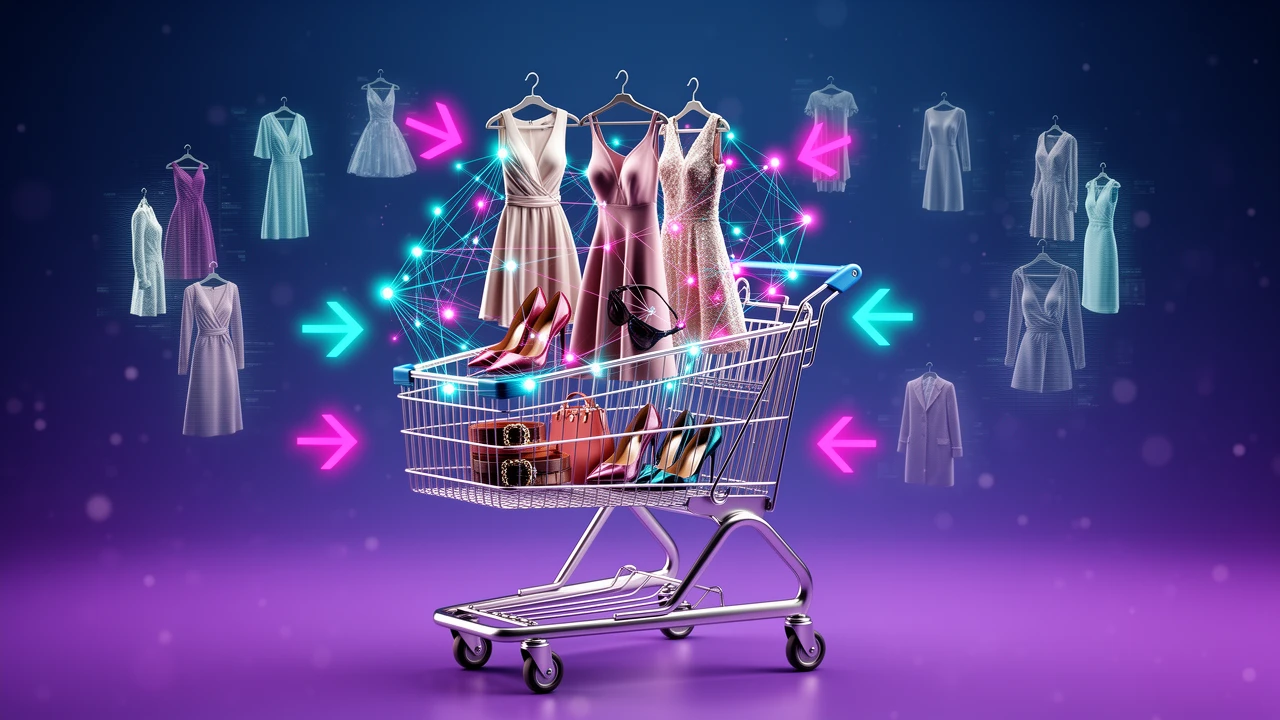
Complete the Look
This works especially well for fashion and lifestyle stores.
Instead of recommending random products, the store suggests a full outfit or matching items.
Example: dress + bag + shoes + necklace.
This can increase average order value because the customer sees the full visual idea.
Recently Viewed Products
Recently viewed products help customers return to items they considered earlier.
This reduces friction and improves product discovery.
It is simple, but useful, especially for large catalogs.
Personalized Recommendations
Personalized recommendations adapt based on customer behavior.
They may use:
- Browsing history.
- Purchase history.
- Cart contents.
- Customer segment.
- Location.
- Device behavior.
This is where AI can provide stronger value because it can adjust suggestions dynamically.
Post-Purchase Recommendations
Post-purchase recommendations happen after the customer buys.
They can appear on:
- Thank you page.
- Order confirmation email.
- Post-purchase email flow.
- SMS or WhatsApp follow-up.
These recommendations should be soft and helpful.
For example, after buying shoes, the customer may receive care instructions and a suggestion for cleaning products.
Common Mistakes With Shopify Product Recommendations
Product recommendations can increase revenue, but they can also hurt the shopping experience if used badly.
Mistake 1: Showing Too Many Recommendations
More recommendations do not always mean more sales.
If you show too many options, customers may feel overwhelmed.
A focused set of 3 to 6 relevant products is often better than a long list of random suggestions.
Mistake 2: Recommending Irrelevant Products
Irrelevant recommendations reduce trust.
If a customer views a formal shirt and sees unrelated kitchen tools, the section becomes noise.
Recommendations should feel connected to the current product or customer intent.
Mistake 3: Promoting Out-of-Stock Items
Showing unavailable products creates frustration.
Make sure your recommendation system respects inventory status.
If a product is out of stock, either hide it or replace it with a relevant alternative.
Mistake 4: Ignoring Mobile Layout
A recommendation section may look clean on desktop but crowded on mobile.
Test spacing, buttons, images, and swipe behavior.
Mobile shoppers should be able to understand and act quickly.
Mistake 5: Using Discounts Too Quickly
Recommendations do not always need discounts.
If the product pairing is relevant, the value should be clear.
Use discounts strategically, not as the default way to make recommendations work.
Mistake 6: Never Reviewing Results
Customer behavior changes.
Products change.
Inventory changes.
Seasonality changes.
If you never review product recommendations, they can become outdated.
A monthly review can prevent weak suggestions and keep the system aligned with your store goals.
Real-World Scenarios
Let’s look at how different Shopify stores may use product recommendations.
Scenario 1: New Clothing Boutique
A new clothing boutique launches with 80 carefully selected products.
Because the store has little order history, native automatic recommendations may not perform strongly yet.
The best approach is manual curation.
The merchant can pair:
- Dresses with matching bags.
- Shoes with outfits.
- Jewelry with evening looks.
- Seasonal items with accessories.
As the store collects more sales data, it can move toward a hybrid system that combines automation with manual control.
Scenario 2: Growing Outdoor Gear Store
An outdoor gear store grows from 200 products to more than 2,000 products.
Manual pairing becomes difficult.
The store may need a Shopify recommendation app with AI logic to handle large catalog relationships.
For example:
- Backpacks with hydration systems.
- Tents with sleeping bags.
- Hiking boots with socks.
- Jackets with weather accessories.
Here, AI helps scale product discovery while the merchant still controls strategic items.
Scenario 3: Beauty Store With Email Automation
A beauty store wants recommendations to appear on-site and in email flows.
The store can connect recommendation logic with email automation.
For example:
- Browse abandonment emails show products related to what the customer viewed.
- Post-purchase emails suggest complementary routine items.
- Win-back campaigns recommend new products based on past purchases.
This creates a consistent experience across the store and marketing channels.
Technical Considerations
Before adding advanced Shopify product recommendations, check a few technical points.
Theme Compatibility
Not every Shopify theme supports recommendation sections in the same way.
Modern themes usually include sections for related products or complementary products.
Older or heavily customized themes may need code changes or app widgets.
Before installing multiple apps, check whether your theme already supports the placements you need.
Page Speed
Recommendation widgets can affect page speed if they are heavy or poorly optimized.
This matters because slow pages hurt conversion.
Check speed before and after adding recommendation tools.
If the page becomes slower, consider:
- Reducing the number of widgets.
- Showing fewer products.
- Using lazy loading.
- Choosing a lighter app.
- Removing duplicate scripts.
Product Exclusions
Sometimes you do not want certain products to appear.
Examples:
- Clearance products.
- Products with fulfillment issues.
- Products with low inventory.
- Items that should not be paired together.
- Products with high return rates.
Native Shopify features may not give full exclusion control.
If this matters for your store, you may need app logic, tags, or custom development.
Data Quality
AI cannot fix bad product data completely.
If product titles, tags, collections, and descriptions are inconsistent, recommendations may become weaker.
Clean data makes recommendation engines smarter.
This is where structured catalog work becomes part of ecommerce automation, not just SEO.
How Product Recommendations Connect With Ecommerce Automation
Shopify product recommendations become more powerful when they are connected with automation.
For example:
- A customer views a product but does not buy, then receives a browse abandonment email with related products.
- A customer adds one item to cart, then sees a bundle offer in the cart.
- A customer buys a product, then receives a post-purchase message with useful add-ons.
- A VIP customer sees premium recommendations instead of generic suggestions.
- A chatbot recommends products based on customer questions.
This connects recommendations with the wider system of store automation.
For more advanced stores, recommendations can also connect with custom software development when native tools and standard apps are not enough.
What Comes Next?
Product recommendations are one part of ecommerce personalization.
As customer expectations increase, stores that show relevant products at the right moment will feel easier to shop from.
A strong recommendation strategy can connect with:
- Abandoned cart automation.
- Post-purchase automation.
- Chatbot sales assistance.
- AI-powered search.
- Personalized email flows.
- Customer segmentation.
- Virtual try-on for clothing stores.
For deeper industry context, Shopify’s resource on recommendation engines in retail explains how recommendation systems support modern shopping experiences.
Final Thoughts
Shopify product recommendations are not just small “related products” boxes under a product page.
They are a practical way to guide customers, improve discovery, increase average order value, and make the store feel more personal.
The best recommendation strategy is not random.
It starts with clear goals, clean product data, smart placement, and continuous measurement.
Start simple. Use native Shopify recommendations or manual pairings if your catalog is small. Add AI-powered apps when your catalog grows or your personalization needs become more complex. Connect recommendations with email, chatbot, WhatsApp, and post-purchase automation when you are ready to build a more complete growth system.
If you want to build smarter Shopify recommendation flows, connect them with email or chatbot automation, or create custom ecommerce logic around your store data, JustOnePrompt can help through Shopify apps, store automation, and AI services.
Frequently Asked Questions
What are Shopify product recommendations?
Shopify product recommendations are product suggestions shown to customers based on product relationships, order history, browsing behavior, manual curation, or AI-powered personalization. They usually appear as related products, frequently bought together, or recommended items.
Do Shopify product recommendations increase average order value?
Yes, when they are relevant. Product recommendations can increase average order value by encouraging customers to add complementary products, bundles, accessories, or upgraded versions of the item they are already considering.
Do I need an app for Shopify product recommendations?
Not always. Shopify has native recommendation features that may be enough for smaller stores with enough order history. Apps become useful when you need advanced AI personalization, better control, A/B testing, or integration with email and marketing automation.
Where should I show product recommendations in Shopify?
Good locations include product pages, cart pages, collection pages, homepage sections, thank you pages, and post-purchase emails. The best placement depends on the goal of the recommendation and the stage of the customer journey.
Can AI improve Shopify product recommendations?
Yes. AI can use browsing behavior, purchase history, cart value, product similarity, and customer segments to show more relevant recommendations than basic rule-based suggestions.
What is the difference between cross-selling and upselling?
Cross-selling recommends complementary products, such as socks with shoes. Upselling recommends a higher-value version or bundle, such as a premium plan or larger product set.
What is the biggest mistake with product recommendations?
The biggest mistake is showing irrelevant or too many recommendations. A small number of relevant suggestions usually performs better than a large set of random products.