

Quick Answer: Abandoned cart automation is an ecommerce workflow that automatically sends follow-up messages by email, SMS, WhatsApp, or chatbot to customers who added products to their cart but left without completing the purchase. When done well, it helps online stores recover lost revenue, answer last-minute objections, and bring shoppers back to checkout without manual follow-up.
Picture this: a customer spends 20 minutes browsing your store, carefully selecting items, adding them to the cart, and then… gone.
No purchase. No message. No explanation.
Just a lonely cart sitting in your database collecting digital dust.
This happens every day across ecommerce stores. But here is the important part: most of these shoppers are not saying “no forever.” They are usually saying “not right now.” Maybe they got distracted. Maybe they wanted to compare prices. Maybe shipping looked unclear. Maybe they needed to ask someone. Or maybe they simply needed a small reminder.
That is where abandoned cart automation becomes useful.
It works like a polite store assistant saying, “You left something behind. Do you still need help?”
The difference is that it happens automatically, at scale, through channels like email, SMS, WhatsApp, or chatbot.
For ecommerce businesses that want stronger recovery systems, abandoned cart workflows can connect naturally with store automation, WhatsApp automation, and broader AI services.
What Is Abandoned Cart Automation?
Abandoned cart automation is a marketing and sales workflow that activates when a customer adds products to their cart but leaves before completing the purchase.
Instead of waiting for someone on your team to notice and follow up manually, the system sends automated reminders based on timing, customer behavior, cart value, and the products left behind.
These reminders may be sent through:
- Email.
- SMS.
- WhatsApp.
- On-site chatbot messages.
- Push notifications.
- Retargeting audiences.
The goal is not to annoy the customer.
The goal is to remove friction, answer doubts, and make it easy for the shopper to return to checkout.
A good abandoned cart workflow does not feel like pressure. It feels like help.
Why Abandoned Cart Automation Matters
Cart abandonment is one of the biggest leaks in ecommerce.
The customer already showed intent. They browsed products, selected something, and added it to the cart. That means they were much closer to buying than a random visitor.
Without automation, many of these opportunities disappear.
With abandoned cart automation, your store can follow up while the purchase is still fresh in the customer’s mind.
This matters because people abandon carts for many reasons:
- They got distracted.
- They wanted to compare prices.
- They were unsure about shipping cost.
- They had questions about size, fit, or product details.
- They did not trust the return policy yet.
- They wanted to wait for payday.
- The checkout process felt too long.
Not all of these problems require a discount. Some require information. Some require reassurance. Some require a faster way to ask questions.
That is why the best abandoned cart automation is not just “send coupon code.” It is a recovery strategy.
The Strategic Value
Abandoned cart automation helps with more than immediate revenue recovery.
It also gives you useful signals about the store.
For example:
- Product hesitation: If many carts are abandoned around the same product, the page may need better descriptions, images, size guidance, or reviews.
- Pricing friction: If customers abandon after seeing shipping or total cost, your pricing or delivery communication may need improvement.
- Checkout friction: If customers abandon late in checkout, payment options, form length, or trust signals may be the issue.
- Support gaps: If customers often return with questions, your product pages may not be answering the right doubts.
In plain English: you are not only recovering carts. You are learning why people hesitate.
For broader context on ecommerce automation, Shopify’s guide to ecommerce automation strategies is a useful industry reference.
How Abandoned Cart Automation Works
The basic logic is simple.
Your ecommerce platform tracks customer behavior. When someone adds products to the cart but does not complete the purchase within a defined time, the system marks it as an abandoned cart event.
That event starts the workflow.
A basic flow might look like this:
- Customer adds a product to the cart.
- Customer leaves without buying.
- The system waits for a set delay.
- The first reminder is sent.
- If the customer still does not buy, a second message follows.
- If needed, a final message may include help, urgency, or an incentive.
- The workflow stops when the customer buys or reaches the sequence limit.
Behind the scenes, your store platform, email tool, SMS platform, WhatsApp system, or chatbot tool need to share data properly.
That data may include:
- Customer email or phone number.
- Products left in the cart.
- Cart value.
- Product images.
- Checkout link.
- Customer history.
- Consent status for SMS or WhatsApp.
If the data is clean, the automation feels personal and useful.
If the data is weak, the messages become generic.
Abandoned Cart vs Abandoned Checkout
This distinction matters.
Many store owners use the terms interchangeably, but they are not exactly the same.
Abandoned Cart
An abandoned cart happens when a customer adds products to the cart but does not start checkout.
This customer has shown interest, but may still be early in the decision process.
They may need:
- Product reassurance.
- Size or fit help.
- Shipping information.
- Reviews or social proof.
- A reminder to return.
Abandoned Checkout
An abandoned checkout happens when the customer starts checkout but does not complete payment.
This is usually a warmer lead.
They went further, so the issue may be closer to payment, shipping cost, trust, discount code problems, or checkout friction.
For this group, your recovery message can be more direct because the customer already reached the final stage.
A strong strategy may create separate workflows for abandoned carts and abandoned checkouts instead of treating them exactly the same.
Email, SMS, WhatsApp, or Chatbot: Which Channel Should You Use?
There is no single perfect channel.
Each one has a different role.
The best strategy depends on your audience, product type, customer consent, and how your store already communicates.
Email: The Reliable Foundation
Email is still the most common abandoned cart recovery channel.
It is flexible, expected, and easy to personalize with product images, descriptions, prices, and checkout buttons.
A good abandoned cart email usually includes:
- A friendly reminder.
- Product images from the cart.
- A clear “Complete Purchase” button.
- Short reassurance about shipping, returns, or support.
- A direct link back to checkout.
Email is ideal for multi-step sequences because customers can return to the message when they are ready.
SMS: Fast but Sensitive
SMS gets attention quickly.
That makes it powerful, but also more sensitive. A text message feels more personal than email, so it should be used carefully and only when the customer has opted in.
SMS works best for:
- Short reminders.
- Time-sensitive offers.
- High-intent checkout recovery.
- Simple checkout links.
One useful SMS is better than three annoying ones.
WhatsApp: Conversational and Useful
WhatsApp can be very effective for cart recovery because it feels like a conversation, not just a broadcast.
A WhatsApp recovery message can ask whether the customer needs help with size, delivery, product details, or checkout.
For example:
Hi, you left a few items in your cart. Do you need help with size, delivery, or completing checkout?
This type of message can work well for clothing stores, beauty products, electronics, and products that often create questions before purchase.
If your store relies heavily on WhatsApp support, this can connect directly with WhatsApp automation workflows.
Chatbot: Real-Time Help When the Customer Returns
A chatbot is useful when the customer comes back to your website.
Instead of sending another passive reminder, the chatbot can interact:
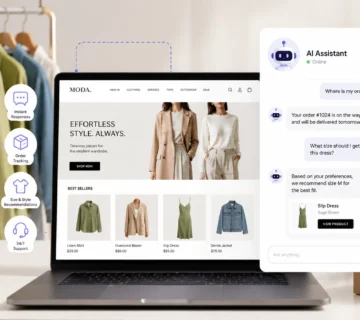
I noticed you still have items in your cart. Can I help with shipping, sizing, or product details?
This is especially valuable when cart abandonment happens because of unanswered questions.
A chatbot can guide the customer, answer objections, or escalate to a human support agent.
The Multi-Channel Recovery Strategy
You do not have to choose only one channel.
A practical abandoned cart automation sequence might look like this:
- Hour 1: On-site chatbot message if the customer returns.
- Hour 3: First email reminder with cart contents.
- Day 2: WhatsApp or SMS follow-up if the customer opted in.
- Day 4: Final email with reassurance, support, or a small incentive.
The key is not to overwhelm the customer.
The goal is to create helpful touchpoints across the right channels.
How to Set Up Abandoned Cart Automation
The setup depends on your platform, but the general structure is usually the same.
Step 1: Choose the Recovery Channel
Start by deciding where your customers are most likely to respond.
For many stores, email is the safest first step. If your customers actively use WhatsApp, then WhatsApp recovery can be a strong addition. If you have SMS consent, SMS can be tested carefully.
Do not start with every channel at once.
Start with the one that fits your audience and data.
Step 2: Make Sure You Capture Contact Information
Abandoned cart automation cannot work if you do not have a way to contact the customer.
Depending on your setup, you may capture:
- Email address.
- Phone number.
- WhatsApp opt-in.
- Logged-in customer account.
Make sure this is handled clearly and legally, especially for SMS and WhatsApp.
Step 3: Define the Trigger
Decide what should start the workflow.
Possible triggers include:
- Product added to cart but no checkout started.
- Checkout started but payment not completed.
- Cart value above a specific amount.
- Customer abandoned a specific product category.
- Returning customer abandoned a cart.
A cleaner trigger creates better automation.
If the trigger is too broad, your messages may feel irrelevant. If it is too narrow, you may miss recovery opportunities.
Step 4: Write the Message Sequence
The message sequence is where many abandoned cart workflows win or fail.
Do not write messages that sound like panic.
A good recovery message should feel helpful, short, and easy to act on.
A simple three-message sequence may look like this:
- Message 1: Friendly reminder with the products left behind.
- Message 2: Help-focused message answering common objections such as size, shipping, delivery, or returns.
- Message 3: Final reminder with urgency, reassurance, or an incentive if needed.
You do not always need a discount in the first message.
Sometimes the customer only needs a reminder or an answer.
Step 5: Add Product Details and Checkout Links
The easier you make it to return, the better.
Your abandoned cart message should include:
- Product image.
- Product name.
- Price.
- Selected variants such as size or color.
- Direct checkout link.
- Support option if the customer has a question.
Do not send a generic “come back to our store” message if you can send a direct link to the exact cart.
Specific always beats generic.
Step 6: Set Timing Rules
Timing matters.
Send the message too soon and it may feel pushy. Wait too long and the customer may forget or buy somewhere else.
A common starting point:
- First message: 1 to 3 hours after abandonment.
- Second message: 24 to 48 hours later.
- Final message: 3 to 5 days later.
This is not a fixed law. You should test timing based on your audience, product price, and buying cycle.
A $20 impulse product may need faster follow-up than a $900 product that requires more consideration.
Step 7: Add Stop Conditions
A good workflow knows when to stop.
Stop the abandoned cart sequence when:
- The customer completes the purchase.
- The customer unsubscribes.
- The product is no longer available.
- The customer replies and needs human support.
- The workflow reaches the final message.
Without stop conditions, automation can create awkward moments, like sending a discount after the customer already bought.
Step 8: Test Before Launch
Before turning the workflow on, abandon a cart yourself.
Check:
- Does the trigger work?
- Does the message send at the right time?
- Are product images showing correctly?
- Does the checkout link open the correct cart?
- Does the workflow stop after purchase?
- Does the message look good on mobile?
Testing prevents embarrassing mistakes.
Abandoned Cart Email and Chatbot Strategy
A strong recovery strategy is not only about sending reminders.
It is about understanding why the customer left and using the right channel to answer that problem.
First Email: Reminder
The first email should be simple.
It can say something like:
You left something in your cart. We saved it for you.
Include product images and a clear button back to checkout.
Do not overload the first message with too many offers or long explanations.
Second Message: Remove Doubts
The second message should address hesitation.
Depending on your store, this may include:
- Shipping information.
- Return policy reassurance.
- Size guide link.
- Customer reviews.
- Product benefits.
- Support contact option.
This message is not just a reminder. It is an objection handler.
Third Message: Incentive or Urgency
The final message can include urgency or an incentive, but use this carefully.
You may mention:
- Low stock.
- Free shipping.
- Limited-time discount.
- Bonus item.
- Final reminder before the cart expires.
Avoid training customers to abandon carts just to get a discount.
If you always send a coupon immediately, some customers will learn to wait for it.
Chatbot Support for Returning Visitors
If the customer returns to the site, a chatbot can help in real time.
Instead of only showing a passive cart reminder, the chatbot can ask:
Still thinking about these items? I can help with sizing, shipping, or product details.
This is useful because many abandoned carts happen because of unanswered questions.
A chatbot can answer those questions instantly or escalate to a human when needed.
WhatsApp Follow-Up for High-Intent Customers
If the customer opted in to WhatsApp communication, a short WhatsApp message can work well.
Example:
Hi, you left a few items in your cart. Need help completing your order or choosing the right size?
This feels more conversational than an email, but it must be used responsibly. WhatsApp is personal, so the message should be short, helpful, and clearly connected to the customer’s action.
Common Technical Problems and Fixes
Even with good tools, abandoned cart automation can break.
Here are common problems to check.
Automation Not Triggering
If you see abandoned carts in your store but no messages are sending, check:
- Is the workflow active?
- Is the trigger set to cart abandonment or checkout abandonment?
- Did the customer provide contact information?
- Is your email, SMS, or WhatsApp integration connected?
- Are messages blocked because of consent rules?
- Is there a delay before the first message?
Test with a fresh email address or phone number to confirm the workflow.
Wrong Trigger Type
Cart abandonment and checkout abandonment are different.
If your workflow only triggers after checkout starts, it will miss customers who added products to the cart but never reached checkout.
If your workflow only triggers after cart activity, it may treat early shoppers and high-intent checkout abandoners the same way.
The best setup often separates these two workflows.
Missing Contact Details
You cannot recover a cart if you cannot contact the customer.
This is why some stores use account login, early email capture, newsletter offers, or checkout steps that collect email before payment details.
But this must be done carefully. Do not create too much friction just to capture contact information.
Product or Cart Data Not Showing
If the reminder message does not show product images, names, or checkout links correctly, check your template variables.
Examples:
- Product image variable.
- Cart URL variable.
- Product name variable.
- Variant or size variable.
- Customer first name variable.
A broken cart link can waste the entire workflow.
Common Myths About Cart Recovery
Let’s clear up a few misconceptions.
Myth 1: “Abandoned Cart Messages Are Always Annoying”
Bad messages are annoying.
Helpful reminders are not.
If the tone is friendly, the timing is reasonable, and the message helps the customer continue easily, many shoppers appreciate it.
Myth 2: “One Email Is Enough”
One email is better than nothing, but a sequence usually performs better.
Customers open messages at different times. Someone may miss the first reminder and respond to the second.
A simple two- or three-message sequence is often a good starting point.
Myth 3: “You Must Offer a Discount”
No.
Many customers abandon carts for reasons unrelated to price.
Try reminders and reassurance first. Save incentives for later messages or specific segments.
Myth 4: “Set It and Forget It Forever”
Abandoned cart automation should be reviewed.
Check performance, update copy, test timing, and make sure links still work.
A workflow that performed well last year may need improvement as your products, audience, and checkout experience change.
Real-World Recovery Examples
Here are a few practical examples of how stores can use abandoned cart automation.
Example 1: Clothing Store
A clothing store sends a first email three hours after abandonment with the product image and checkout link.
The second message includes size guidance, return reassurance, and styling suggestions.
The final message offers free shipping instead of a large discount.
This feels helpful because clothing shoppers often hesitate around size, fit, and returns.
Example 2: High-Ticket Product Store
A store selling expensive products may use a slower sequence.
The first email offers to answer questions.
The second message includes reviews, comparisons, or case studies.
Instead of pushing a coupon, the workflow focuses on trust and support.
High-ticket purchases usually need more confidence, not more pressure.
Example 3: Multi-Channel Recovery
An electronics store combines email, chatbot, and WhatsApp.
Email reminds customers about the cart.
A chatbot helps when the customer returns to the site.
WhatsApp is used only for customers who opted in and left high-value carts.
This creates multiple recovery opportunities without relying on one channel.
How to Measure Abandoned Cart Automation Success
You need to know whether the workflow is actually helping.
Track these metrics:
- Recovery rate: Percentage of abandoned carts that convert after automation.
- Open rate: How many customers open recovery emails.
- Click-through rate: How many click back to the store.
- Revenue recovered: Total revenue attributed to the workflow.
- Time to purchase: How long it takes customers to return and buy.
- Unsubscribe rate: Whether messages feel excessive.
If open rates are low, test subject lines.
If clicks are low, improve the message and call-to-action.
If clicks are strong but purchases are low, the problem may be checkout, pricing, shipping, or trust.
Advanced Strategies for Better Results
Once the basic workflow works, you can improve it with smarter segmentation.
Segment by Cart Value
Do not treat every cart the same.
A $30 cart and a $600 cart may deserve different follow-up.
For high-value carts, you may use human support, WhatsApp follow-up, or more personalized reassurance. For lower-value carts, a simple email sequence may be enough.
Segment by Customer Type
First-time visitors need more trust.
Returning customers may need less explanation and more convenience.
VIP customers may deserve priority support.
This makes abandoned cart automation more relevant and less generic.
Segment by Product Category
Different products create different objections.
Clothing shoppers may need size and return reassurance.
Electronics shoppers may need specs, compatibility, or warranty details.
Beauty shoppers may need ingredients, skin type guidance, or reviews.
Your recovery message should match the product concern.
Use Retargeting Carefully
You can combine abandoned cart emails with retargeting ads on platforms like Meta or Google.
This keeps the product visible after the customer leaves.
But do not overdo it. Too many ads and messages can feel intrusive.
What to Do After Cart Recovery Works
Once your abandoned cart automation is running, the next opportunity is post-purchase automation.
These workflows start after the customer buys.
They may include:
- Thank-you messages.
- Product education emails.
- Care instructions.
- Review requests.
- Reorder reminders.
- Cross-sell recommendations.
Abandoned cart automation recovers lost sales.
Post-purchase automation increases customer lifetime value.
Together, they create a stronger ecommerce growth system.
Final Thoughts
Abandoned cart automation is not just a technical feature inside your ecommerce platform.
It is a revenue recovery system.
It helps your store follow up with customers who were already close to buying, answer objections, restore attention, and make returning to checkout easy.
The best approach is simple:
Start with a clean email sequence. Add WhatsApp or SMS only when you have permission and a clear reason. Use chatbots to support customers when they return. Test timing, copy, and incentives. Then improve the workflow based on real results.
If you want to build abandoned cart workflows that connect email, WhatsApp, chatbot, Shopify, WooCommerce, and customer data, JustOnePrompt can help plan and implement the system through store automation, WhatsApp automation, and AI services.
Frequently Asked Questions
What is abandoned cart automation?
Abandoned cart automation is an ecommerce workflow that automatically sends follow-up messages to customers who added items to their cart but left without purchasing. It helps recover lost sales through email, SMS, WhatsApp, chatbot, or retargeting messages.
How long should I wait before sending an abandoned cart email?
A common starting point is 1 to 3 hours after abandonment. This gives customers time to return naturally while the purchase is still fresh. You should test timing based on product price, customer behavior, and buying cycle.
Do abandoned cart emails need discounts?
No. Many customers abandon carts because of distraction, shipping questions, sizing doubts, or trust concerns. Start with reminders and reassurance first. Use discounts later only when needed.
What is the difference between abandoned cart and abandoned checkout?
Abandoned cart means the customer added products to the cart but did not start checkout. Abandoned checkout means the customer started checkout but did not complete payment. Checkout abandoners are usually higher-intent leads.
Can I use WhatsApp for abandoned cart recovery?
Yes, if the customer has opted in to WhatsApp communication. WhatsApp can be effective because it is conversational and direct, but messages should be short, helpful, and not intrusive.
Can a chatbot help recover abandoned carts?
Yes. A chatbot can help when the customer returns to the website by answering questions about size, shipping, product details, payment, or returns. It can also escalate to a human when needed.
What should I track in abandoned cart automation?
Track recovery rate, open rate, click-through rate, recovered revenue, time to purchase, and unsubscribe rate. These metrics show whether your workflow is helpful or needs adjustment.