

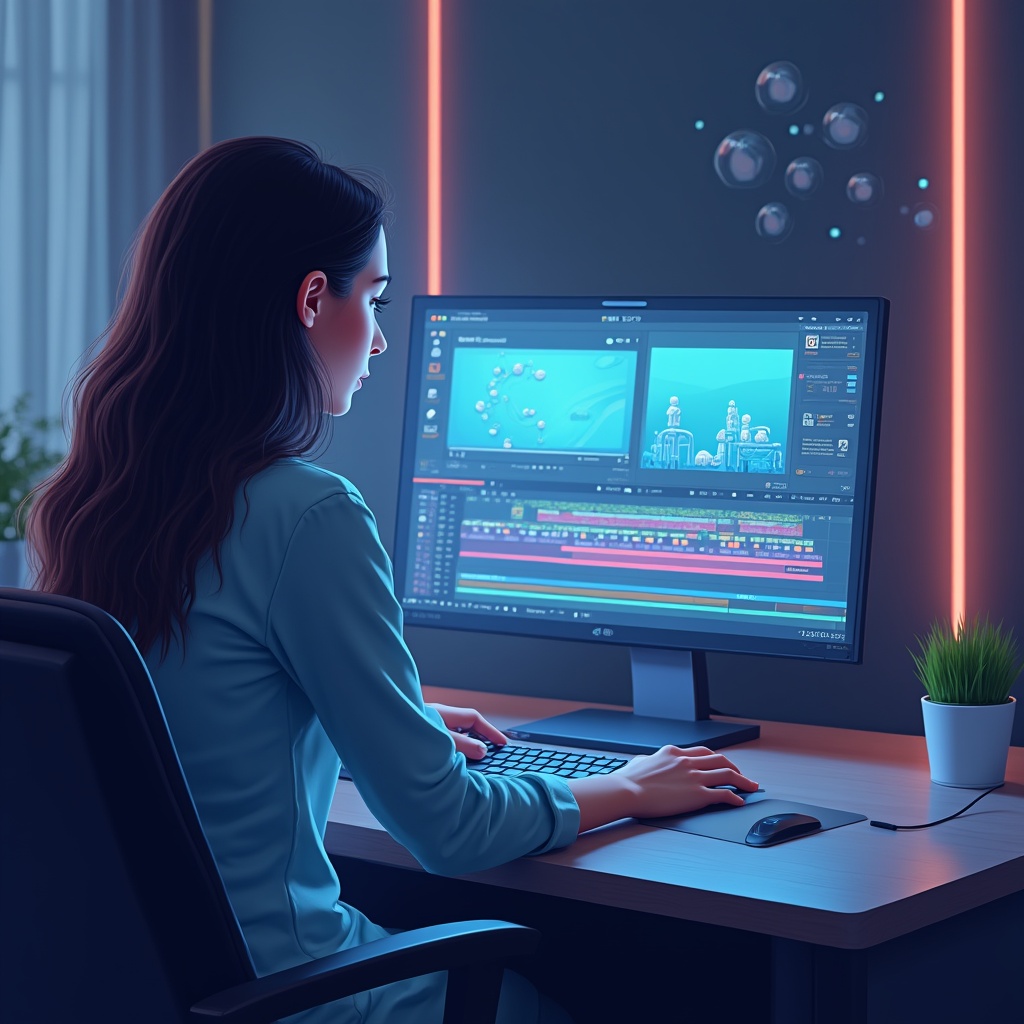
Make a video with AI by using artificial intelligence tools to turn text prompts, images, scripts, or existing footage into finished video content. Beginners can start by choosing an AI video tool, writing a clear prompt, generating a first draft, refining the result, and exporting the final video — without expensive cameras, complex editing software, or advanced technical skills.
Make a Video with AI: The Beginner-Friendly Revolution
Make a video with AI sounds like one of those futuristic promises that should come with dramatic music and a robot voiceover. But it is now a very real workflow for beginners, creators, marketers, teachers, and small business owners who want video content without drowning in technical complexity.
I still remember the first time someone asked me to create a video for a project. My brain immediately went into panic mode — complicated editing software, expensive cameras, lighting, timelines, audio levels, export settings, and that lovely feeling of not knowing which button is about to ruin everything.
Fast forward to now, and I can literally create video drafts by typing words into a box. It still feels slightly ridiculous. Like magic, except the magic is artificial intelligence doing the heavy lifting while I sit there with coffee, pretending I totally understand how the future works.
The funny thing? You might be in that same place I was. Maybe you need marketing videos for your business, short educational clips for a course, social media content, product demos, or just something cool without spending months learning Premiere Pro, After Effects, or DaVinci Resolve.
The good news: if you want to make a video with AI, the barrier to entry has dropped massively. AI video tools have moved from weird, glitchy experiments to genuinely useful creative assistants that can help beginners create videos faster than ever.
Are they perfect? No. Do they sometimes produce strange hands, confused camera movement, or a dog that looks like it briefly remembered being a cloud? Absolutely. But the technology is now good enough that beginners, marketers, educators, creators, and small business owners can actually use it for real projects.
Let’s break it down in normal human language.
What Does It Mean to Make a Video with AI?
To make a video with AI means using artificial intelligence to generate, edit, animate, or enhance video content. Instead of doing every step manually, you give the AI a prompt, script, image, or video clip, and it helps create the final result.
There are three common ways to create AI videos:
- Text-to-video: You describe the video you want, and the AI generates moving visuals from your prompt.
- Image-to-video: You upload a still image, and the AI adds motion, camera movement, or animation.
- AI-assisted editing: You upload existing footage, and AI helps with cuts, captions, background removal, voiceovers, or repurposing.
Think of it like having a video production assistant who never gets tired, never complains about revisions, and understands instructions written in plain English. You can type something like:
A golden retriever playing in autumn leaves at sunset, cinematic style, warm golden light, slow motion, wide angle shot.
And the tool will try to turn that into a video clip.
Not every result will be perfect on the first try. That is normal. AI video creation works best when you treat the first output as a draft, then refine it with better prompts, shorter scenes, clearer direction, and a little patience.
Why Learning to Make a Video with AI Matters
Video is everywhere now. Websites, ads, YouTube, TikTok, Instagram, LinkedIn, online courses, product pages, sales funnels — almost every digital platform rewards video in some way.
The problem is that traditional video production has always been expensive, slow, or intimidating. You needed cameras, lighting, editing software, stock footage, music licenses, editing skills, and usually a lot more time than expected.
AI changes that equation.
It does not magically replace creative thinking, storytelling, or strategy. But it does make the execution part much easier. You can test video ideas faster, create visuals without filming everything yourself, generate supporting clips, make social content, and build rough drafts before committing to bigger production.
For beginners, that is huge.
Here is why AI video creation matters:
- Lower cost: You can create starter videos without hiring a full production team.
- Faster workflow: Ideas can become drafts in minutes instead of days.
- No advanced equipment: Many tools work directly in the browser.
- Easy experimentation: You can test different styles, scripts, and formats quickly.
- More creative access: People with ideas but no editing background can finally produce visual content.
There is also a mindset shift that happens when video becomes easier. You stop thinking, “I wish I could make a video about that,” and start thinking, “Let me try making a quick version.”
That shift is powerful.
If your goal is to use AI video as part of a bigger workflow for content, automation, or business systems, you can also explore
AI Services
from JustOnePrompt.
How AI Video Creation Works
You do not need to understand neural networks, diffusion models, or training datasets to make a video with AI. But it helps to understand the basic workflow so the process feels less mysterious.
1. You Start with an Input
The input depends on the type of tool you use. It could be:
- A text prompt
- A full video script
- A product description
- A still image
- A voiceover
- Existing video footage
- A blog post or article
For example, if you are using a text-to-video tool, your input might be a short visual prompt. If you are using a marketing video generator, your input might be a script or product summary. If you are using an avatar video tool, your input might be a written script that a digital presenter reads.
2. The AI Interprets the Request
The AI tries to understand what you want: the subject, action, scene, style, camera angle, pacing, and mood. This is why a specific prompt usually works better than a vague one.
A weak prompt might be:
Make a video about coffee.
A stronger prompt would be:
A steaming cup of coffee on a wooden table, morning sunlight through a window, cozy atmosphere, close-up shot, slow camera push-in.
The second prompt gives the AI more visual direction without making things overly complicated.
3. The Tool Generates a First Draft
After you click generate, the tool creates an initial output. Depending on the platform, this might take less than a minute or several minutes.
The first draft is rarely perfect. Maybe the movement is too fast. Maybe the style feels wrong. Maybe the AI misunderstood the subject. That does not mean the tool failed. It just means you need to refine the prompt or regenerate the scene.
4. You Refine the Result
This is where most beginners improve quickly. You look at the output and adjust your instructions. You might change the style, make the shot shorter, describe the subject more clearly, or remove details that confused the AI.
For example:
- Change “busy city” to “quiet Tokyo street at night with neon reflections.”
- Change “professional video” to “clean corporate explainer video with minimal motion graphics.”
- Change “person walking” to “a woman in a blue coat walking slowly through a rainy street.”
Small prompt changes can make a big difference.
5. You Export and Use the Video
Once the result is good enough, you export it. Many tools let you choose aspect ratios for YouTube, TikTok, Instagram, LinkedIn, websites, or presentations.
For beginners, “good enough” matters. Do not aim for a Hollywood trailer on your first try. Aim for a useful clip that communicates your idea clearly.
The Main Types of AI Video Tools
There is no single perfect AI video tool. Different tools are built for different jobs. Choosing the right category matters more than chasing the most hyped platform.
1. Text-to-Video Generators
These tools create video clips from written prompts. They are great for cinematic shots, b-roll, creative concepts, social content, and visual experimentation.
Examples include tools like Runway, Pika, Kling, Luma, and similar platforms. They are usually best when you need original visual clips rather than a full edited marketing video.
Best for: cinematic visuals, concept shots, creative clips, b-roll, artistic content.
Limitations: longer storytelling, exact character consistency, complex action, and brand-specific details can still be difficult.
2. Script-to-Video Tools
These platforms turn a written script or idea into a more complete video. They may generate scenes, add stock clips, create subtitles, include music, and suggest voiceovers.
Tools like InVideo AI are useful here because they are built around turning prompts and scripts into practical videos for marketing, explainers, social content, and business use.
Best for: marketing videos, explainer videos, social clips, business content, quick campaigns.
Limitations: the result may feel template-based unless you edit the structure, pacing, and visuals.
3. AI Avatar Video Tools
AI avatar tools let you create videos with digital presenters. You write a script, choose an avatar, select a language or voice, and the platform generates a talking-head style video.
Synthesia is a well-known example in this category, especially for training, internal communications, product explainers, and corporate learning videos.
Best for: training videos, onboarding, tutorials, corporate communication, multilingual explainers.
Limitations: avatar videos can feel formal or repetitive if the script is weak or the visual structure is too static.
4. AI Editing and Repurposing Tools
These tools do not always generate video from scratch. Instead, they help you edit faster. They can cut silences, create captions, remove filler words, resize content for platforms, generate clips from long videos, or clean audio.
Best for: YouTubers, podcasters, educators, coaches, and anyone repurposing long content into short clips.
Limitations: they still depend on the quality of the footage or audio you provide.
Best AI Video Tools to Make a Video with AI
If you are just starting, do not overthink the tool selection. Pick one based on what you actually want to create.
1. InVideo AI
InVideo AI is beginner-friendly because it focuses on turning ideas and prompts into complete videos with scripts, clips, subtitles, music, and transitions. It is especially useful for marketing videos, explainers, product content, and social media.
- Best for: beginners who want complete videos, not just short AI-generated clips.
- Strength: prompt-to-video workflow with practical business and marketing use cases.
- Watch out for: you still need to review the script, visuals, and pacing so the output does not feel generic.
2. Runway
Runway is one of the strongest options for more cinematic AI video generation. It is better for creators who want visual control, stylized shots, image-to-video workflows, and experimental video content.
- Best for: cinematic shots, creative visuals, image-to-video, and concept videos.
- Strength: advanced generation quality and creative control.
- Watch out for: it may take more experimentation than simpler marketing-focused tools.
3. Synthesia
Synthesia is built around AI avatars and presenter-style videos. If you need training content, tutorials, product explainers, or internal communication videos, avatar tools can save a lot of production time.
- Best for: training, onboarding, explainers, corporate videos, multilingual content.
- Strength: digital presenters and structured business video workflows.
- Watch out for: avatar content needs strong scripts and visual variety to avoid feeling flat.
4. Pika
Pika is popular for quick creative clips and visual experimentation. It is beginner-friendly enough to test ideas quickly, especially when you want short, stylized video outputs.
- Best for: short creative clips, social content, fun visual ideas, quick experiments.
- Strength: fast idea testing and creative generation.
- Watch out for: complex or highly controlled scenes may need multiple attempts.
5. Descript
Descript is useful when you already have audio or video and want to edit it faster. It is especially helpful for podcasts, talking-head videos, tutorials, interviews, and repurposing content.
- Best for: editing existing footage, captions, podcasts, course videos, and social clips.
- Strength: text-based editing and content repurposing.
- Watch out for: it is more of an AI editing tool than a pure text-to-video generator.
How to Make a Video with AI Step by Step
Here is a simple beginner workflow you can follow without getting lost.
Step 1: Decide the Purpose of the Video
Before choosing a tool, decide what the video needs to do. Is it for marketing? Education? Social media? A website? A product demo? A YouTube intro?
Your goal affects everything: format, length, style, voiceover, platform, and tool choice.
- For social media: keep it short, clear, and visually direct.
- For education: focus on structure, clarity, and examples.
- For marketing: start with the pain point, then show the benefit.
- For websites: make it polished, concise, and aligned with your brand.
Step 2: Choose the Right AI Video Tool
Pick the tool based on your goal:
- Want a full marketing video? Try a script-to-video tool.
- Want cinematic AI clips? Try a text-to-video generator.
- Want a presenter explaining something? Try an AI avatar platform.
- Want to edit existing footage? Try an AI editing tool.
Most platforms offer free trials or limited free plans, so test before committing. Do not pay for a tool until you know it matches your workflow.
Step 3: Write a Clear Prompt or Script
This is where the magic either works or gets weird.
If you are using text-to-video, describe the visual scene clearly. If you are using script-to-video, write a short structured script. If you are using an avatar tool, write the script as if a real presenter will say it.
A good AI video prompt usually includes:
- Subject: who or what is in the scene?
- Action: what is happening?
- Environment: where is it happening?
- Style: cinematic, animated, documentary, product demo, etc.
- Lighting: bright, moody, natural, studio, golden hour.
- Camera: close-up, wide shot, drone shot, slow push-in, handheld.
Bad prompt:
Make a video about coffee.
Better prompt:
A steaming cup of coffee on a wooden table, morning sunlight streaming through a window, warm cozy atmosphere, close-up shot, slow camera push-in.
Specificity helps. But do not overload the prompt with 40 instructions. The goal is to guide the AI, not confuse it.
Step 4: Generate the First Draft
Now generate the video. The first result might be great. It might also be strange. Either way, do not judge the whole tool from one attempt.
AI video generation is an iterative process. You test, adjust, regenerate, and compare.
Step 5: Refine the Output
Look at the result and ask:
- Is the subject clear?
- Does the motion look natural?
- Is the style right?
- Is the clip too fast or too slow?
- Does the video match the purpose?
- Does it need captions, music, or voiceover?
If something is off, adjust your prompt. Try shorter scenes. Be clearer about camera movement. Remove unnecessary details. Change the style. Generate again.
Step 6: Add Captions, Voiceover, and Music
For social media and educational videos, captions are almost mandatory. Many people watch without sound, especially on mobile.
If the tool supports voiceover, choose a voice that fits your audience. For business content, avoid overly dramatic voices. For tutorials, clarity matters more than cinematic effect.
Music should support the video, not fight it. Keep it low enough that speech stays clear.
Step 7: Export in the Right Format
Before exporting, choose the correct aspect ratio:
- 16:9: YouTube, websites, presentations.
- 9:16: TikTok, Reels, YouTube Shorts.
- 1:1: some social feeds and ads.
- 4:5: Instagram and Facebook feed formats.
Export in the highest quality available within your plan, then review the final file before publishing.
AI Video Prompt Template for Beginners
Use this simple structure when you want to make a video with AI:
Common Mistakes Beginners Make When They Make a Video with AI
Most beginners do not fail because AI video is too hard. They fail because they expect the tool to read their mind.
1. Writing Vague Prompts
“Make a cool video” is not a prompt. It is a wish.
Tell the AI what the subject is, what is happening, where the scene takes place, and what style you want.
2. Trying to Create a Long Video Immediately
Start small. A 10-second clip is easier to control than a 3-minute video. Once you understand the tool, build longer videos from multiple short scenes.
3. Ignoring the Script
For business, education, and marketing, the script matters more than the visual effects. A beautiful video with a weak message will not perform well.
4. Not Editing the AI Output
AI gives you a draft. You still need to review, cut, adjust, and polish. Do not publish the first output blindly.
5. Using the Wrong Tool for the Job
A cinematic text-to-video generator is not always the best choice for a product explainer. An avatar tool is not always the best choice for a cinematic ad. Match the tool to the task.
Common Myths About AI Video Creation
Myth 1: AI Videos Always Look Fake
Early AI videos looked strange, and some still do. But the quality has improved a lot. Many modern tools can create clips that look polished enough for social media, ads, presentations, and creative projects.
The trick is using the right tool, keeping scenes simple, and refining your prompts.
Myth 2: You Need Coding Skills
No. Most AI video platforms are designed for normal users. If you can write a sentence and click a button, you can start.
Myth 3: AI Replaces All Video Creators
AI can speed up production, but it does not replace taste, strategy, storytelling, brand judgment, or creative direction. Professionals are using AI to work faster, not just disappear.
Myth 4: AI Videos Cannot Be Customized
That used to be more true. Current tools often include style controls, aspect ratios, seed settings, scene editing, image references, voiceovers, captions, and regeneration options.
Myth 5: AI Video Is Only for Generic Content
People now use AI video tools for product demos, educational content, ad concepts, training videos, short films, explainers, social content, and website visuals. The limitation is often the workflow, not the idea.
Real-World Examples of AI Video Creation
Marketing and Business Content
A freelance marketing consultant can use AI video tools to create weekly social media videos for multiple clients. Instead of filming everything from scratch, she can turn client briefs into short promotional videos, then edit the visuals, captions, and call to action.
Educational Content
A teacher can create short visual explainers for lessons that are hard to illustrate with existing footage. Instead of searching for the perfect clip, AI can generate a simple visual scene that supports the concept.
YouTube and Creator Content
A creator can generate custom b-roll that matches a script. Instead of using generic stock footage, they can create clips that fit the exact topic being discussed.
Small Business Videos
A local bakery, gym, salon, or service business can create simple promotional videos from product photos, service descriptions, and short prompts. This is especially useful when the budget does not allow regular professional shoots.
Training and Internal Communication
Companies can use AI avatar tools to create onboarding, policy, or training videos quickly. This is useful when content needs to be updated often or translated into multiple languages.
If you plan to connect video content with automated marketing, lead generation, or content workflows, check
Software Development
and
contact JustOnePrompt
for custom AI and automation solutions.
What to Do After You Make a Video with AI
Once you create your first video, do not stop at exporting it. Review how it performs.
- Did people watch until the end?
- Did the hook work?
- Was the message clear?
- Did the captions help?
- Was the format right for the platform?
- Did the video support a real goal?
AI makes video creation faster, but performance still depends on strategy. A video should not just look nice. It should communicate something clearly.
Final Thoughts
Learning to make a video with AI is one of the easiest ways to unlock creative output without getting buried in technical complexity.
You do not need expensive equipment. You do not need years of editing experience. You do not even need to start with a perfect idea. You need a clear goal, a decent prompt, the right tool, and a willingness to iterate.
The first few results may be weird. That is normal. Every strange output teaches you how the tool thinks. After a few attempts, you start to understand what works: shorter scenes, clearer prompts, better structure, and more realistic expectations.
AI video creation is not a replacement for creativity. It is a shortcut from idea to draft.
And sometimes, that is exactly what beginners need most.